
Blockout dates allow you to filter out higher than average sales days from your run rate calculations for more accuracy in reordering following the event, promotion, or holiday.
Blockout date examples:
- A store's grand opening or anniversary
- A brand pop-up or sponsored promotion
- Cannabis holidays like 420, 710, and Green Wednesday
- Traditional holidays such as Labor Day, Thanksgiving, Christmas, etc.
- Blockout dates can also be used to filter out days a store was closed
- A local event that brought in more foot traffic
How to set blockout dates:
- Launch Happy Buyers ↗️
- Make sure you are an Org admin (reach out to our customer success team if you need admin access or want to learn more)
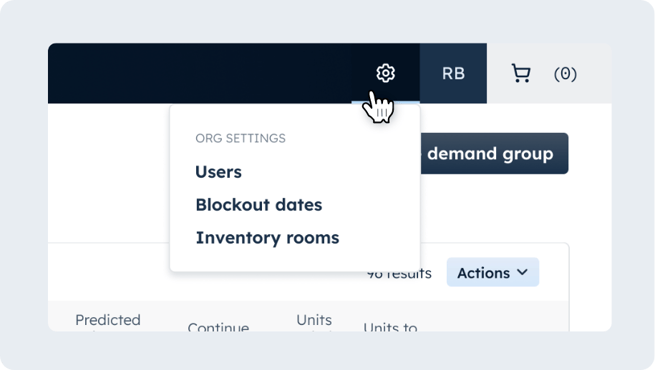
- Click the settings icon on the top right of your navigation menu and select Blockout dates
- Title your event and use the calendar to select the dates you want to block from impacting your run rates
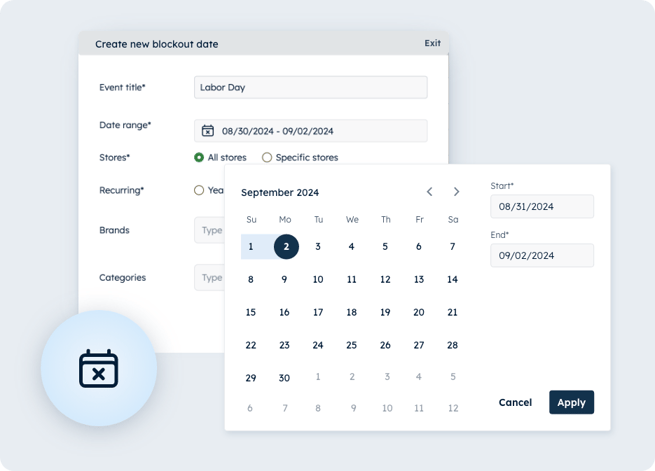
- Select whether this blockout date should apply to all stores or specific stores
- Note: Selecting All stores will apply the blockout date(s) to future stores that are opened after the creation of this blockout date
- (Optional) Select specific brands and/or categories if you only want the blockout date applied to those products
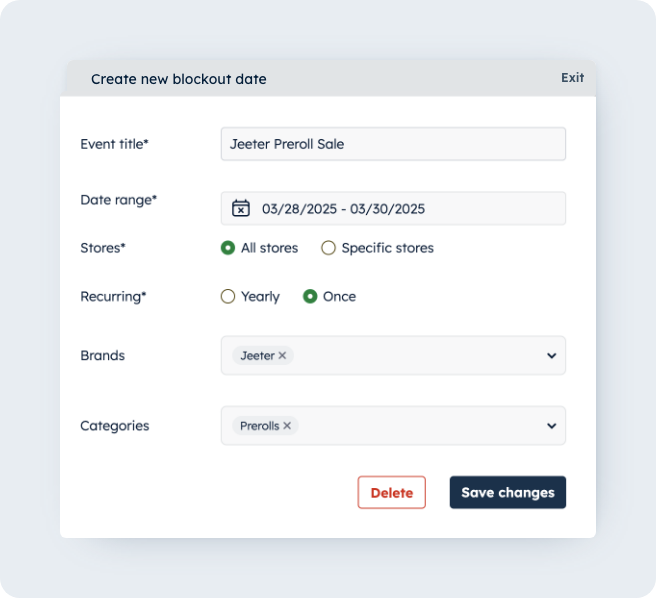
- Double-check that things look good and click 'Apply' to confirm your blockout dates; Blockout dates will be applied overnight and new run rates viewable the next morning