
Current marketplace integrations
More marketplace integrations, plus vendor spreadsheet and PDF menus, are on the way.
How to get connected
Email success@happycabbage.io so we can turn marketplace ordering on for your account!
Video walkthrough
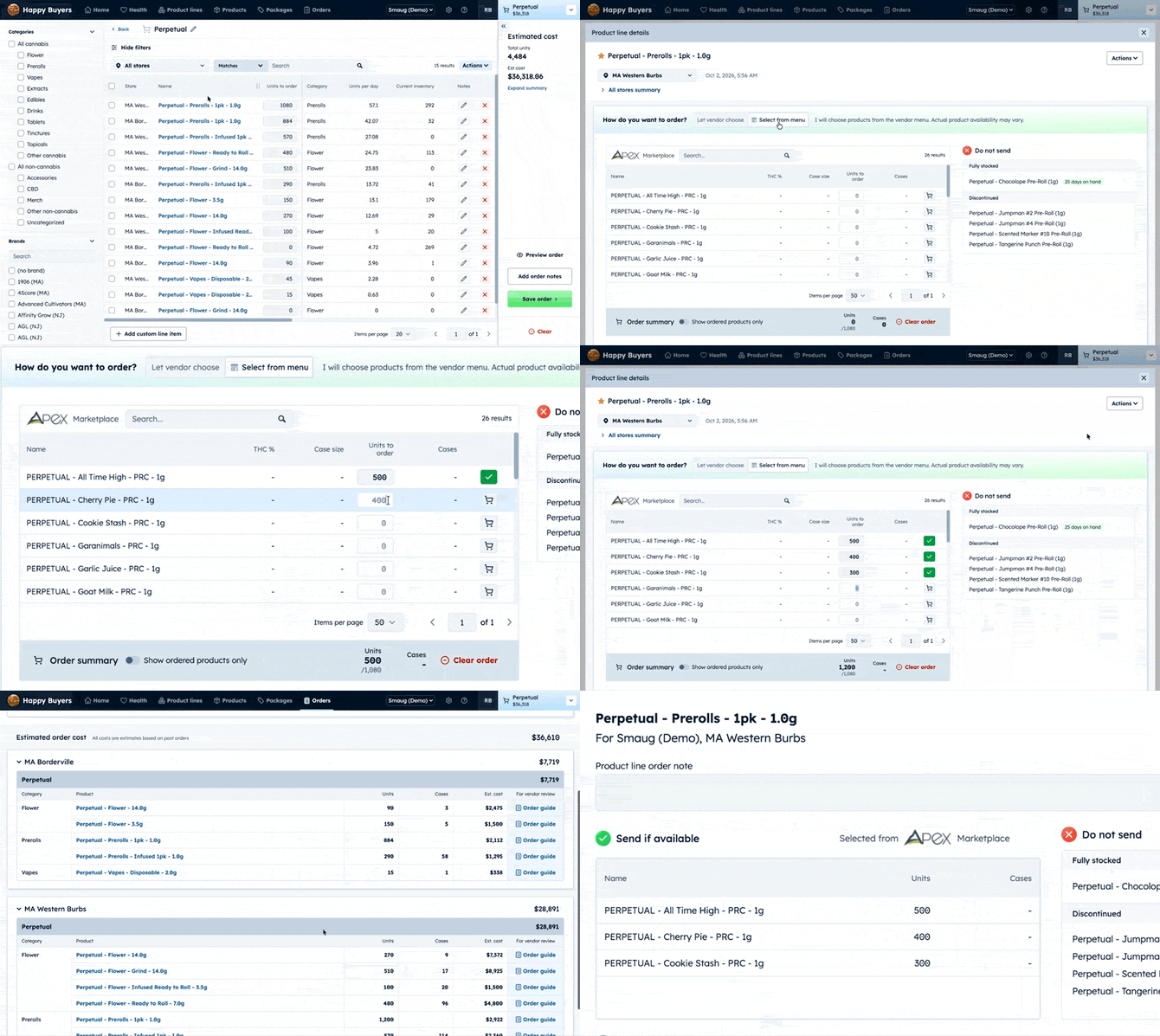
How to order from the menu
- Add a product line to your cart from a brand carried on Apex
- Open the product line in your cart
- Choose Select from menu.
- Review the matching products. Each shows THC % and case size if available.
- Pick the SKUs you want and enter quantities.
- Review the Do not send list for anything that should stay off this order.
- Click Preview Order to see what the brand receives, then send.
Tip: Not sure what to pick? Choose Let vendor choose and Happy Buyers builds the selection from your sales history. You can switch modes any time.
Good to know
- Marketplace menus refresh once a day.
- Only products available on the marketplace appear in Select from menu. Products you carry that aren't on the menu won't show there.